แสดงบทความที่มีป้ายกำกับ Art แสดงบทความทั้งหมด

วันเสาร์ที่ 18 ธันวาคม พ.ศ. 2553

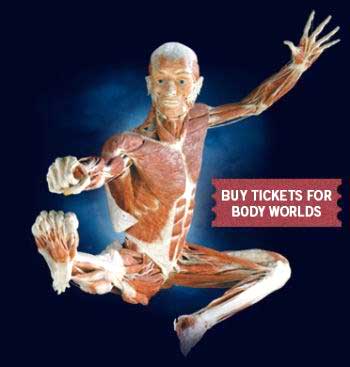
“THE BODY SHOW” ครั้งแรกในไทย มหัศจรรย์สรีระมนุษย์

       ครั้งแรกในประเทศไทยที่สาธารณชนจะได้เปิดประสบการณ์การ เรียนรู้สัมผัสความงดงามที่สลับซับซ้อนทุกซอกทุกมุมของสรีระมนุษย์ในอากัป กริยาต่างๆ กับมหานิทรรศการ“THE BODY SHOW” เอเชียทัวร์ ณ เดอะแคปปิตอลคลับ กรุงเทพฯ ตั้งแต่วันที่ 15 ธ.ค.53 - 3 เม.ย. 54
      
       THE BODY SHOW เป็นการเปิดโอกาสให้สาธารณชนทั่วไปที่ไม่ได้อยู่ในวงการแพทย์ ได้ศึกษาหาความรู้อย่างใกล้ชิดเกี่ยวกับความลับของสรีระมนุษย์ โดยการนำเสนอผ่านเทคโนโลยีล้ำยุคของนวัตกรรมใหม่ที่เรียกว่า POLYMER IMPREGNATION เป็นการนำสารโพลิเมอร์เข้าไปแทนที่ของเหลวในร่างกายของมนุษย์ เพื่อเก็บรักษาให้สรีระนั้นคงรูปร่างอยู่อย่างสมบูรณ์ถาวรสำหรับการจัดแสดง
      
       นับเป็นนิทรรศการครั้งแรกในเมืองไทยที่จัดแสดงสรีระที่แท้จริงของ มนุษย์ โดยมีวัตถุประสงค์เพื่อเปิดประตูสู่การเข้าถึงและเข้าใจในทุกอณูของร่างกาย ที่สวยงามและสลับซับซ้อนภายใต้ผิวหนัง อย่างที่นักวิทยาศาสตร์และวงการแพทย์ได้สัมผัส โดยสรีระทั้งหมดที่นำมาจัดแสดงผ่านการจัดแต่งท่าทางอย่างประณีตงดงามให้ดู เป็นธรรมชาติประดุจงานประติมากรรม เพื่อเป็นการแสดงความเคารพและให้เกียรติกับเจ้าของสรีระเหล่านั้น ร่วมด้วยห้าสิบผลงานศิลปะและอีกกว่าห้าร้อยชิ้นส่วนของร่างกายมนุษย์ ที่นำมาจัดแสดงให้ชมในงานสำหรับสมาชิกทุกคนในครอบครัว


       นอกจากนั้นยังมีชิ้นส่วนของมนุษย์อีกสี่ร้อยเก้าชิ้นที่เก็บรักษาไว้ อย่างสมบูรณ์พร้อม ด้วยเทคโนโลยีการนำสารพลาสติกมาใช้ โดยผู้ชมทุกท่านจะได้สัมผัสความสลับซับซ้อนภายในของร่างกายมนุษย์อย่างใกล้ ชิด ผ่านการนำเสนอด้วยวิทยาการล้ำยุคในรูปแบบสามมิติพร้อมโปรแกรมการเรียนรู้จาก คอมพิวเตอร์ อีกทั้งกราวด์เอฟเฟ็คและระบบเซ็นเซอร์สร้างภาพเคลื่อนไหวบนจอโปรเจคเตอร์ที่ สมบูรณ์แบบ
      
       สำหรับสรีระทั้งหมดที่นำมาจัดแสดงได้รับบริจาคมาจากบุคคลต่างๆ ที่มีความประสงค์ให้นำร่างกายของตนมาใช้ให้เป็นประโยชน์ต่อการศึกษาและการ วิจัย หลังจากที่เขาเหล่านั้นได้สิ้นชีวิตลง
      
       สำหรับนิทรรศการเดอะบอดี้โชว์ เริ่มเปิดแสดงให้เข้าชมตั้งแต่ วันที่ 15 ธันวาคม 2553 ถึง วันที่ 3 เมษายน 2554 ที่ เดอะแคปปิตอลคลับ ซอยสุขุมวิท 24 วันอาทิตย์ ถึง วันพฤหัสบดี ตั้งแต่เวลา 11.00 น. ถึง 21.00 น. และ วันศุกร์ – วันเสาร์ ตั้งแต่เวลา 11.00 น. ถึง 22.00 น. บัตรราคาท่านละ 300 บาท สำหรับนักเรียน นิสิต นักศึกษา และ ผู้ที่ต้องการเข้าชมเป็นหมู่คณะสามารถติดต่อขอรับส่วนลดได้ที่ โทร 0-2625 – 3095 หรือ 086 – 044 – 2145
บทความดีๆจาก http://www.manager.co.th/Travel/ViewNews.aspx?NewsID=9530000176418 โดย service

วันพฤหัสบดีที่ 25 พฤศจิกายน พ.ศ. 2553

วันพุธที่ 17 พฤศจิกายน พ.ศ. 2553

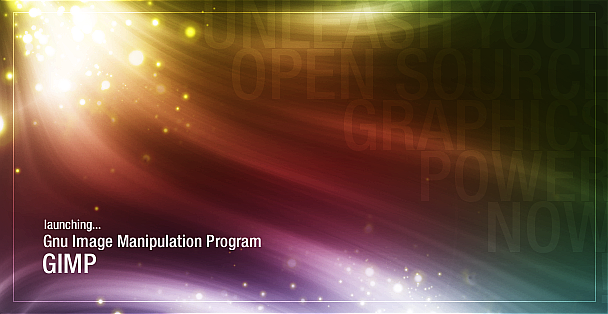
Create a colorfull stream of light with particles in GIMP

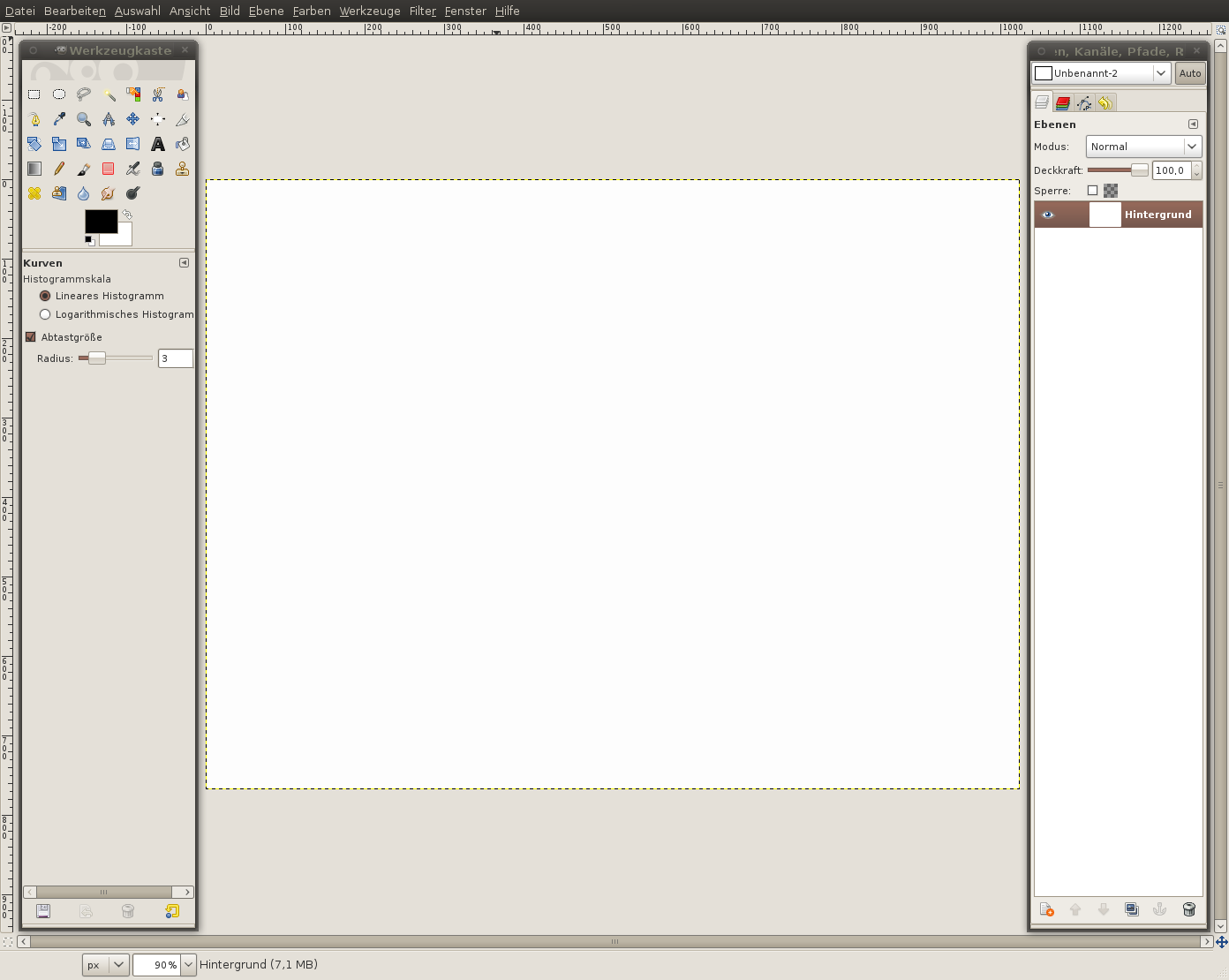
  1. 1 1-previewCreate a new image: 1024×1024px. Don’t be afraid – the splash screen will be cropped later
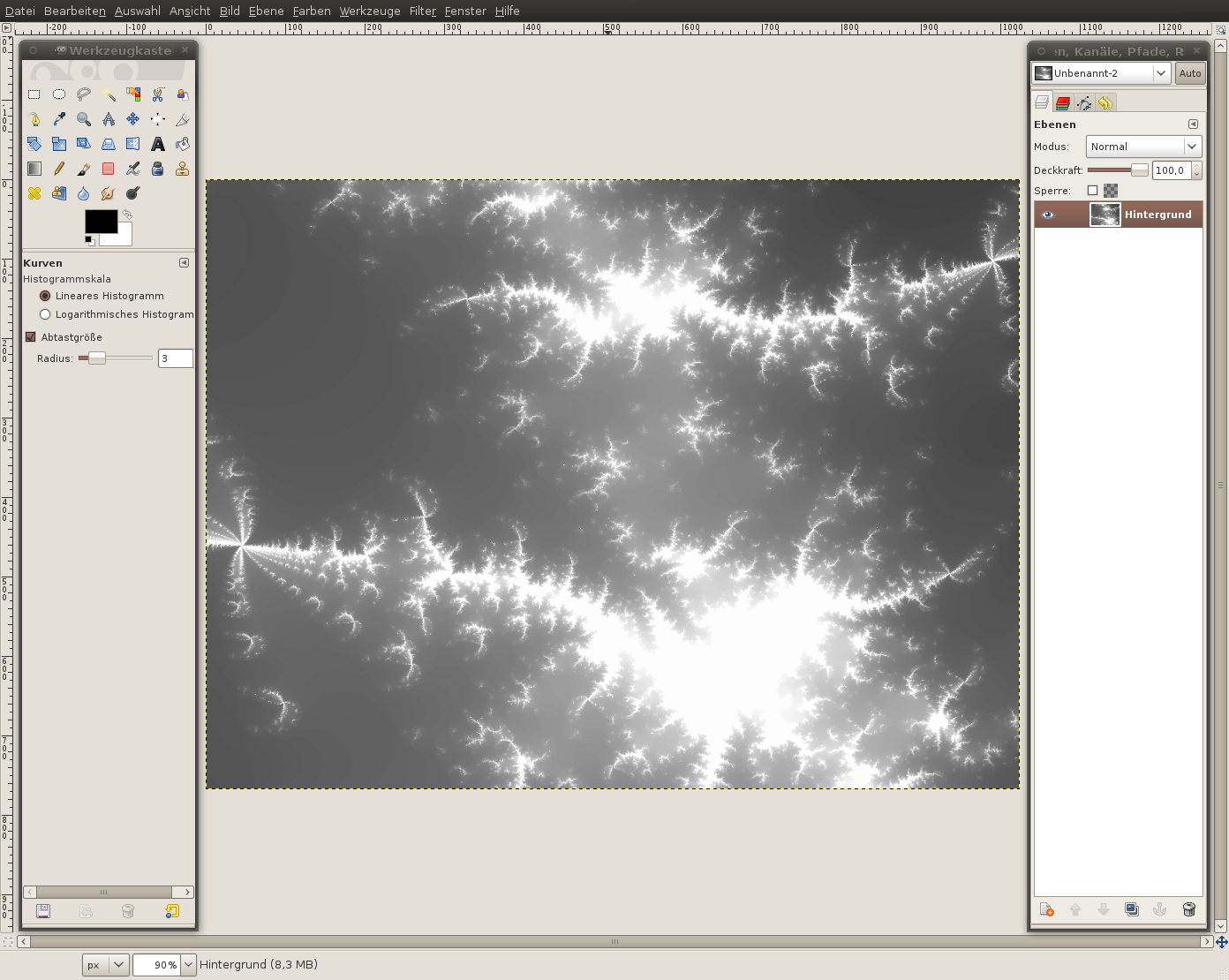
  2. 2 2-previewTo create really varied light and dark parts in the image we’re gonna use a combination of clouds and fractals.tip: Fractals are objects that are repeated in itself. If you zoom into a fractal the same part is viewed again, and again – infinite repeats. To create a fractal in GIMP you can use the built-in fractal explorer.
    - Filter / Render / Fractal explorer
    Leave the settings as they are. Otherwise – if you clicked something – press the reset button.
    Activate the “Fractals” tab. Select “Explosive” and press accept
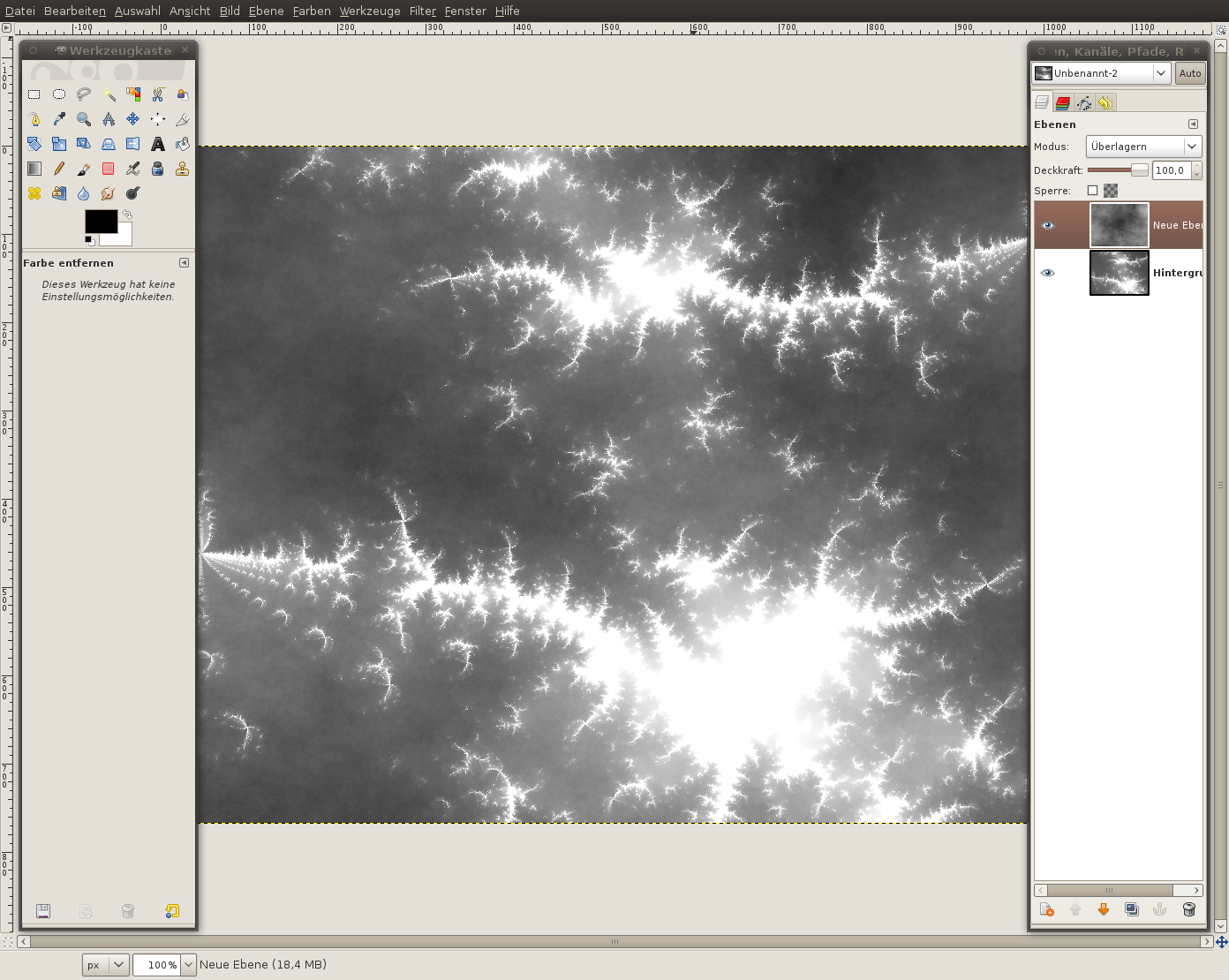
  3. 3 3-preview- Create a new layer
    - Filter / Render / Clouds / Plasma – use the preset settings and press OK
    - Colors / Desaturate: Brightness. Press OK
    - Set the layers mode to “Overlay”. (The layers mode drop down is found in the layers dialog above the opacity ruler.
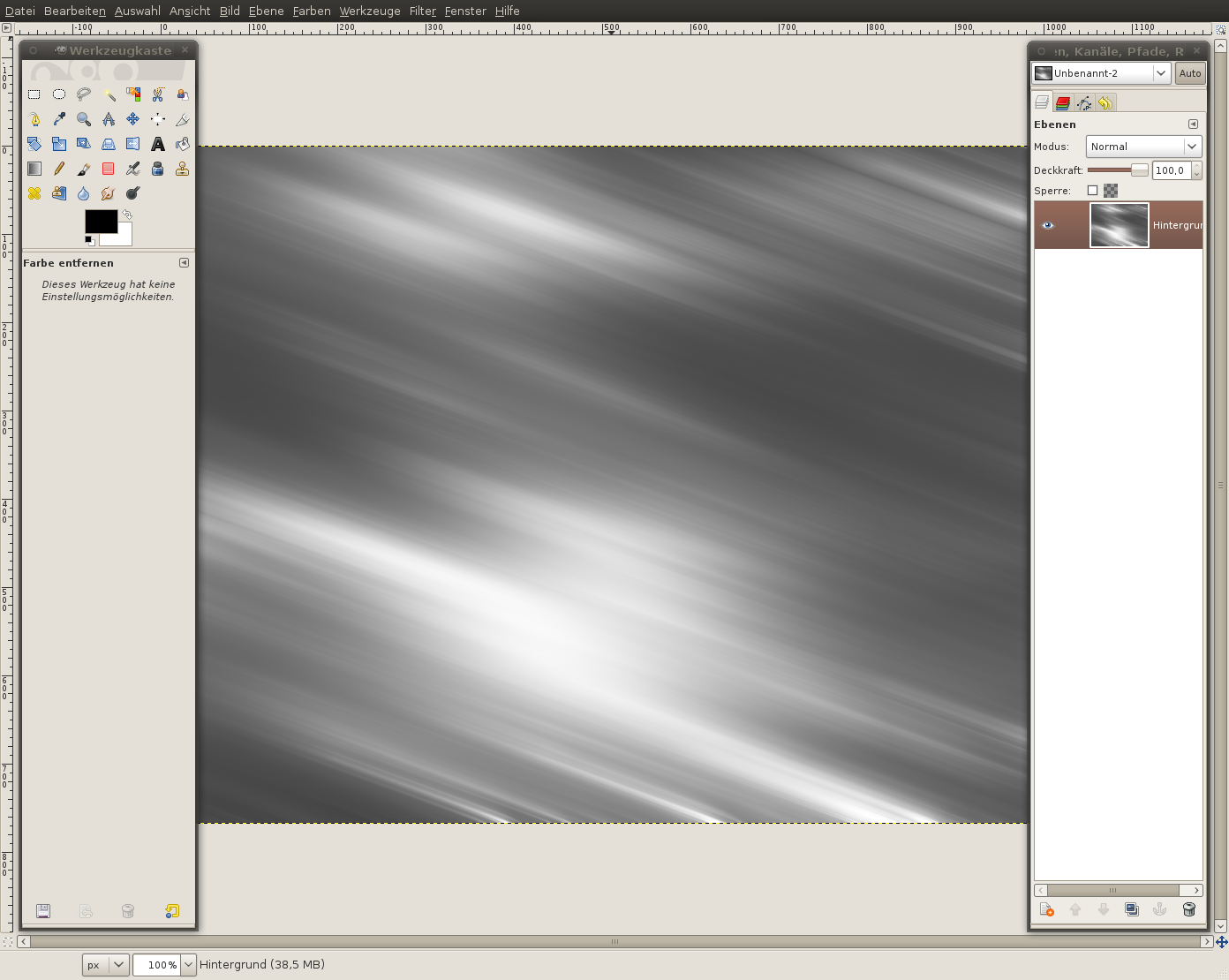
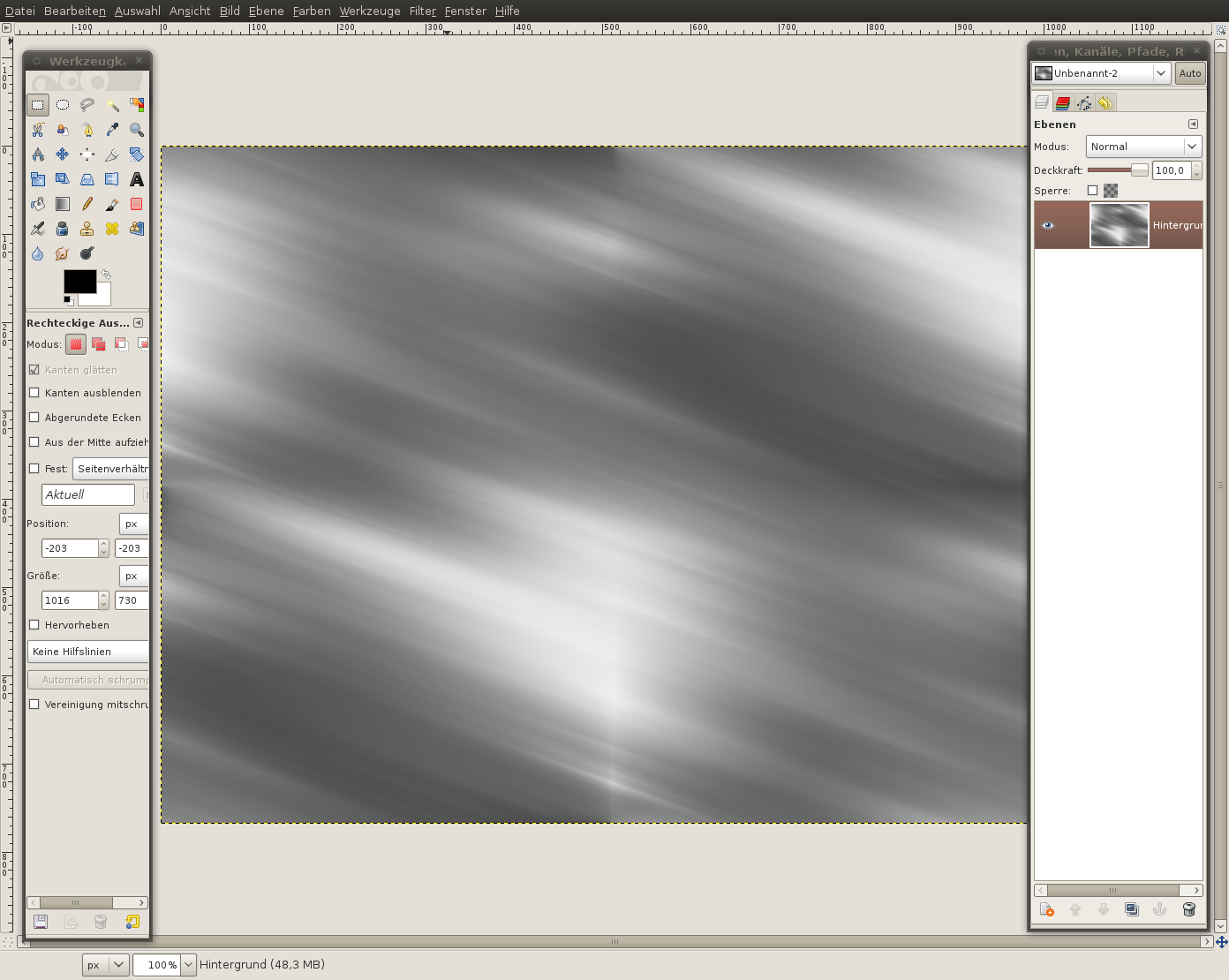
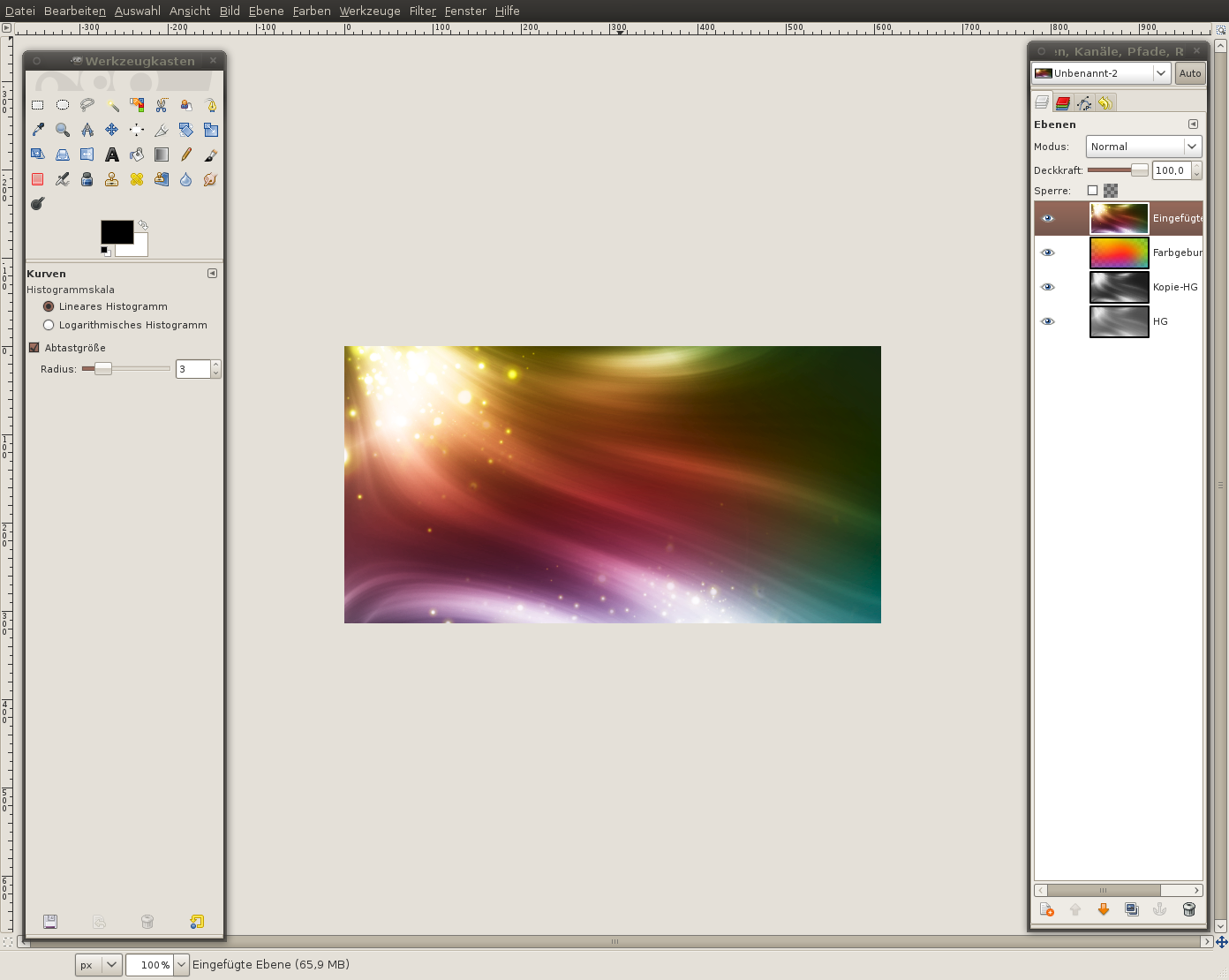
  4. 4 4-preview- Press CTRL+M to merge the visible layers into one layer.- Filter /Blur / Motion Blur: 200 / 20. After that repeat the filter by pressing just CTRL+F
  5. 5 5-preview- Filter / Map / Make Seamless. Doing this makes it possible to put copies of the image to the right/left/top/bottom without seeing any border. You can create seamless transitions with it. That is needed for the next step.
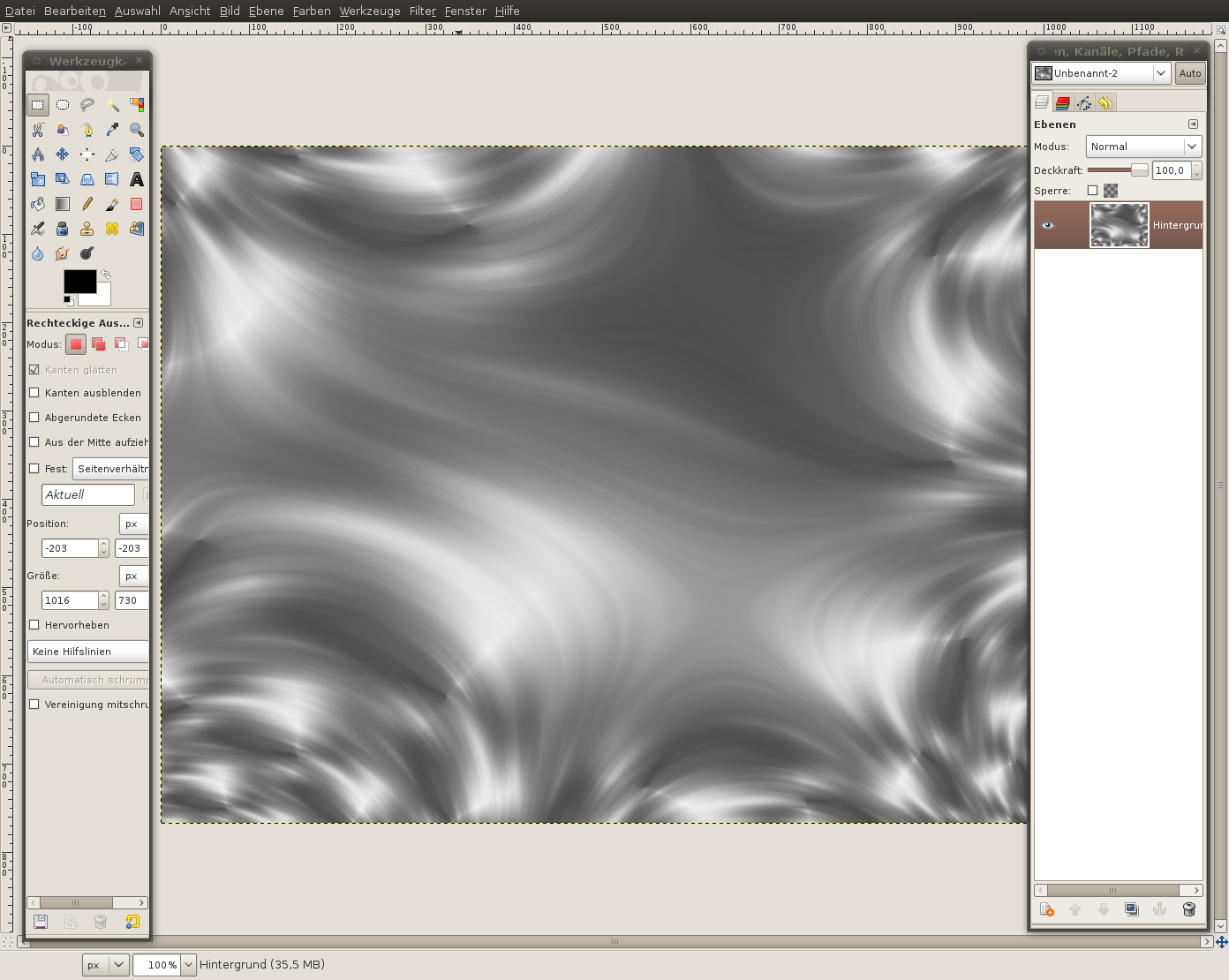
  6. 6 6-previewIn this step our main goal is to get nice and smooth waves into the image.We’re going to transform our picture into a fractal now. Doing this will make your picture look evenly distorted and nice waves will be created. Tip: Before I told you how you can imagine a fractal in a good way (in the graphics environment). That a part can be repeated nicely we’ve just used the seamless-filter. And that is why we can easily transform our pic into a repeated fractal now.
    - Filter / Map / Fractal Trace (Use the Values of the picture below)
  7. 7 7-previewNow we got some really smooth waves. So it is now time to get some color into our image.
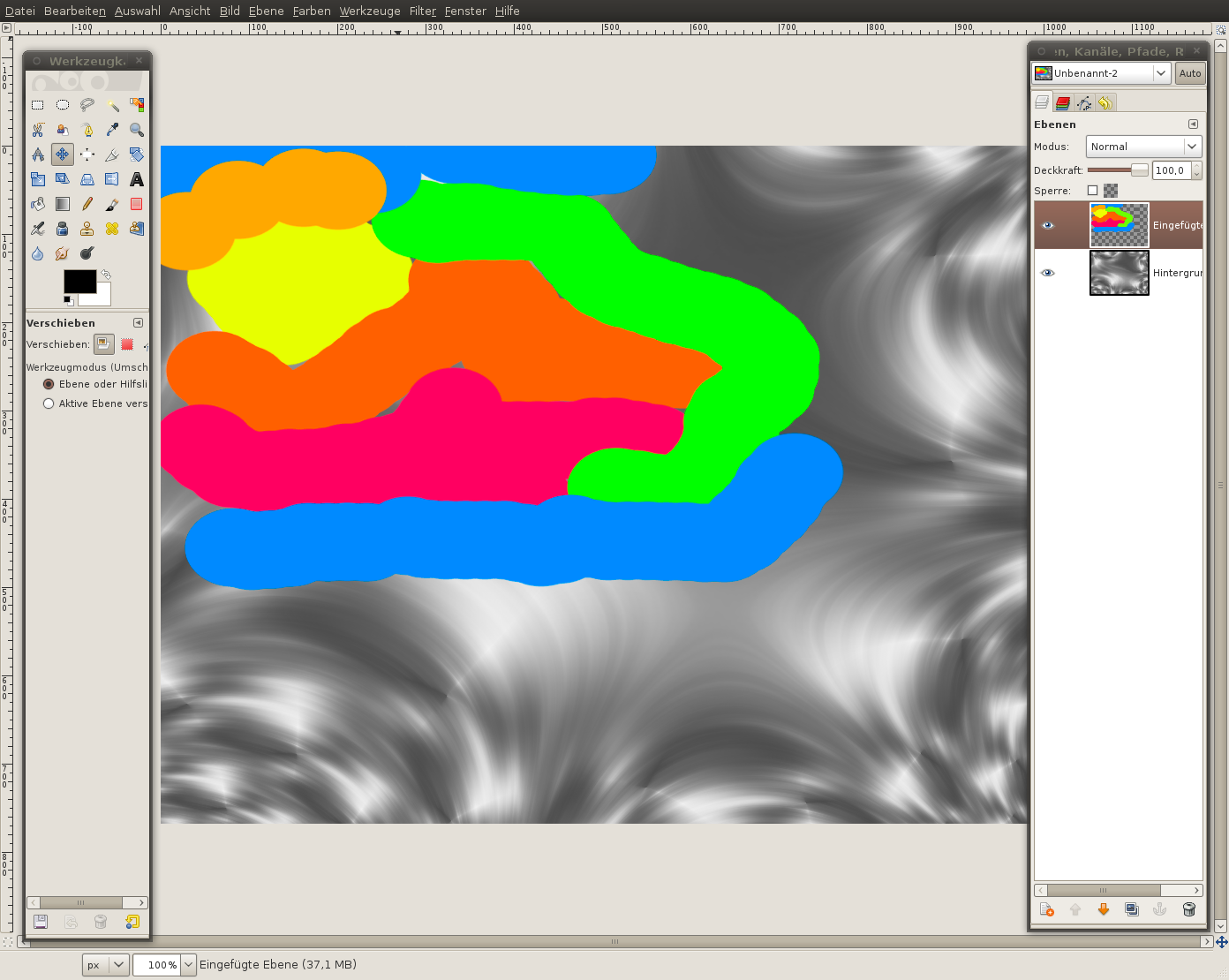
  8. 8 8-previewTo get smooth colors that flow together we will first paint some color on the canvas and blur these colors afterwards.- Create a new and transparet layer
    - ue the brush tool. choose a big brush size (scale it to 10,0). Paint some big yellow-orangy dots. Then use another color like orange or red, paint close by the first yellow dots. Paint the yellow on the lighter parts of the background layer.
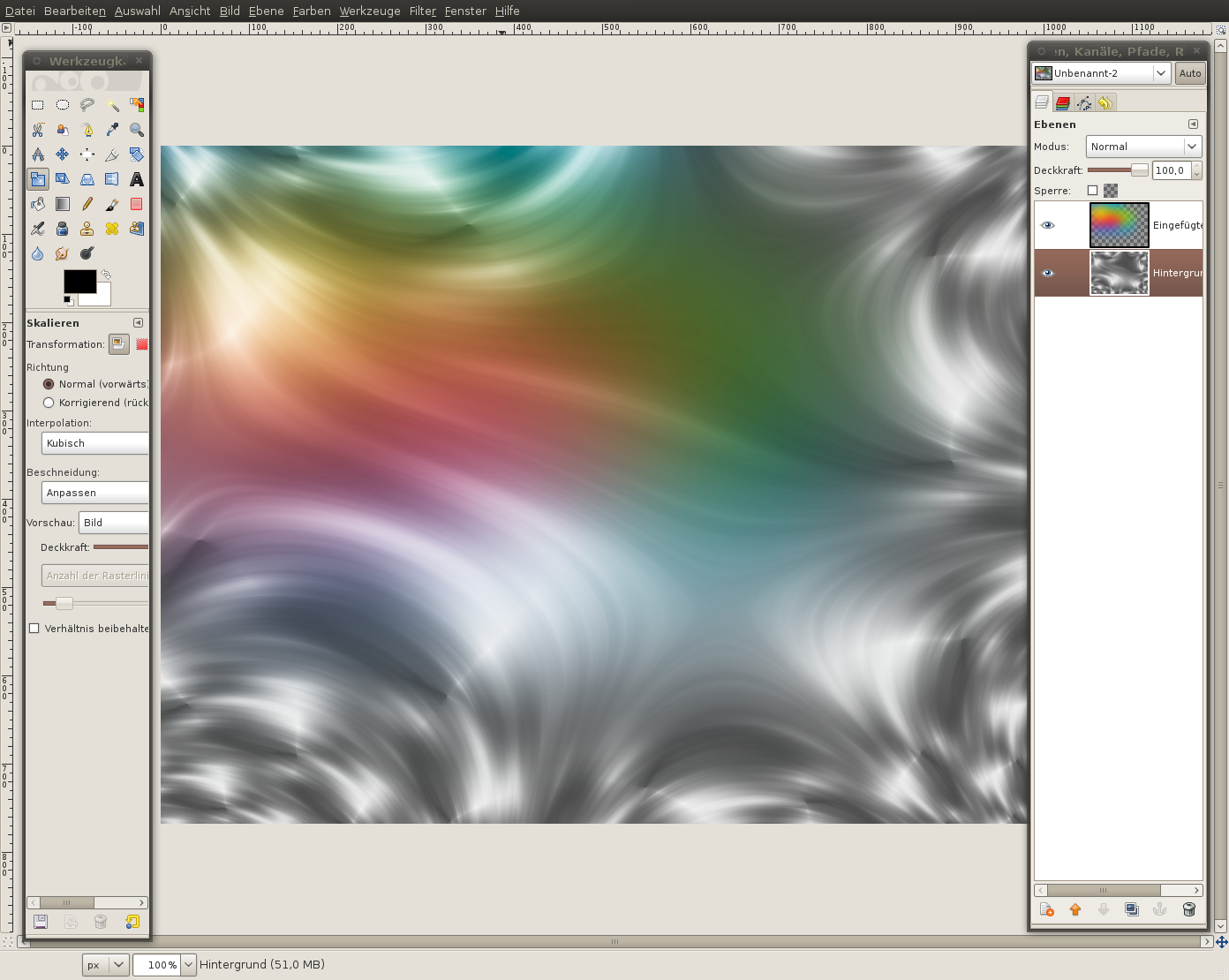
  9. 9 9-preview- Filter / Blur / Gaussian Blur: 300px.Set the layers mode to “Overlay”. The yellow part should glare/shine a bit already. Don’t worry – this will be enhanced soon.
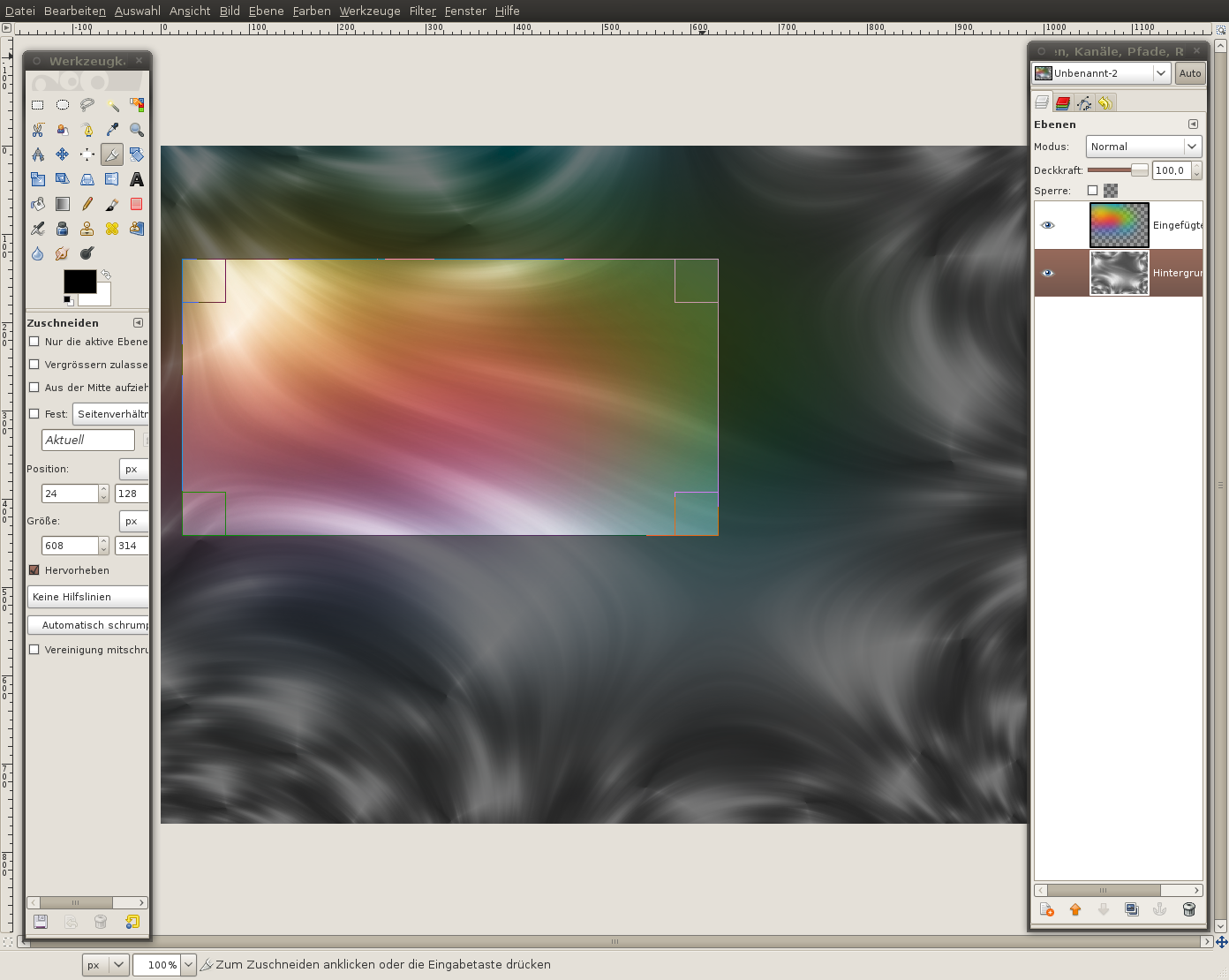
  10. 10 10-preview- Press SHIFT+C to use the Crop tool.
    - Choose any part ofthe picture but the upper left part is pretty nice I think. (Tip: You can transform the background layer, or flip it, rotate it… whatever you want until you found a nice part to cut out.)  - I draw a selection that includes also some small parts ofthe blue/green color.
  11. 11 11-preview- Duplicate the background layer.
    - Move the copy between the colors layer and the original background (if it is not automatically there)
    - Set the layers mode to “Overlay”.
    - Colors / Curves: Apply this curve:
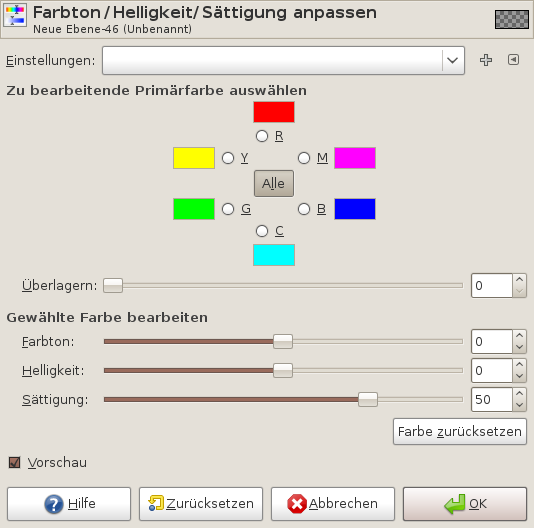
  12. 12 12-preview- Activate the colors layer: Colors / Hue-Saturate: Move the saturation ruler to +50.
  13. 13 13-previewWe’re pretty finished already and we want to continue working on a copy of the current state of our image.To do this:
    - Edit / Copy visible
    - Edit / Paste as new layer
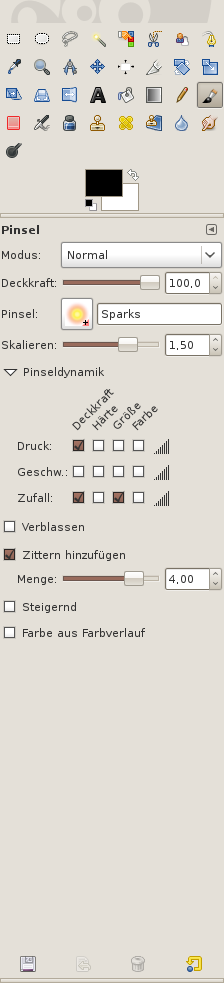
  14. 14 14-previewNow we get to the particles part. We would like to create the illusion of many lightning particles on the brighter parts of the picture.Best used for this is the sparks brush. - Choose the brush tool. Select the yellow “sparks” brush. Excellent for this are the new brush dynamics (available since GIMP 2.6). Using them you can adjust size, opacity and randomness of the pained brush.
    See the image for more detail: Make a selection at “Pressure/Opacity”, Random/OPacity and Random/Size.
    Scale: 1,5
    Jitter: 4,0
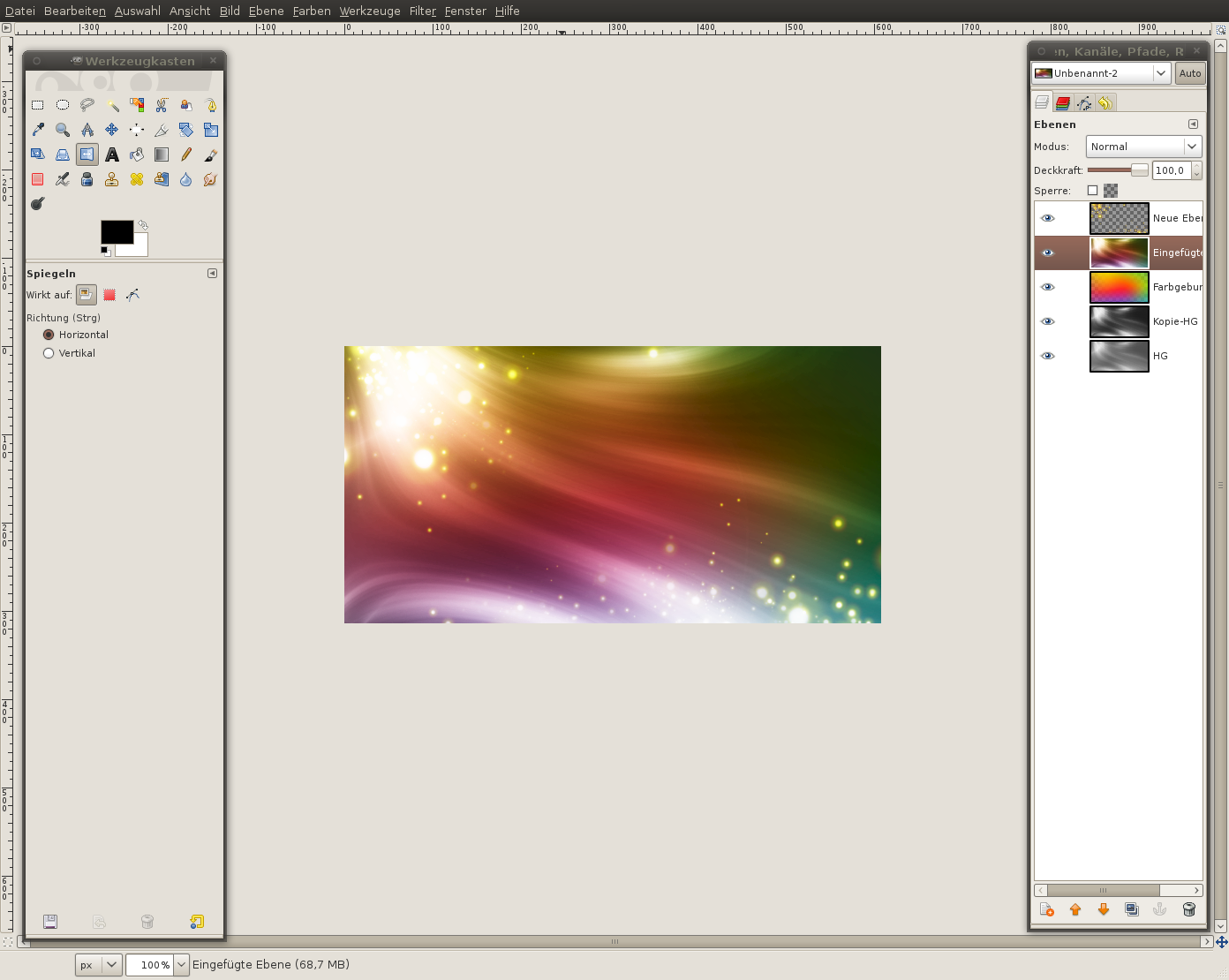
  15. 15 15-preview- Create a new layer and paint the “particles” in the upper left part of the image and also on some other bright parts (as you like it)- Set the layers mode to “Dodge”. Doing that the Shining/Glowing will be enhanced.
  16. 16 16-preview- In the layers dialog rightclick the particle layer and click “merge down”. the particles are then copied to the layer below.Darken the image if you enjoy more contrast/color images, use Color / Curves for that.
  17. 17 17-previewThat the splash screen looks like a real splash screen we have to add some text now.Use the text tool and write “UNLEASH YOUR
    OPEN SOURCE
    GRAPHICS
    POWER
    NOW!”
    on a new layer. Change the alignment of the text to right and set a line spacing so that the lines have only a very small space left between them. Set the transparency of the layer to 10% and move the text to the right.
    See my image below for the other text alignements. it should be easy to do this =)
  18. 18 18-previewhere is another version:
  19. 19 19-previewAnd this one is my first version which I also created using this thechnique!Hope you enjoy the splash screens
  20. by service
วันพุธที่ 10 พฤศจิกายน พ.ศ. 2553

Create a glowy text in GIMP

Step 1

Create a new file (640×480) and fill it with a dark blue-purple gradient (#130F23 to #241d3a):

Step 2

Set your foreground color to a bright blue-purple (#857FFF). Select the Paths tool . Draw out your text using paths:

Create new layer. Edit > Stroke Path:

Filters > Blur > Gaussian Blur by 10px.
Create another layer. Edit > Stroke Path again, except set your line width to 1.0 px this time.
Colors > Hue-Saturation:

Merge the two layers with writing into one:

Step 3

Duplicate your layer with writing (I’ve called it “Blur”). Set its blend mode to “Hard Light” at about 30% opacity. Filters > Blur > Motion Blur:

Select the rotate tool and rotate the layer by about 3 degrees.
Duplicate the “Blur” layer and rotate it by about -6 degrees (negative!).
Now, using the Hue-Saturation dialog slightly offset the hues for both of the blur layers. I set one to -13 and one to 53:

Duplicate your initial layer with writing (not blurred). Set it’s opacity to about 40%. Filters > Blur > Motion Blur:

Alright, the main part is done:

But it needs some depth and style!

Step 4: Bokeh

Create three layers above your background layer to add blurry bokeh circles. Set them to Hard light at 5% opacity.
Using the ellipse select tool, draw several different circles on each layer. Hold the Shift key to keep your selections circular.
Fill your circles with different colors that you’ve used (i.e. purple, blue, etc). Give each layer a different gaussian blur to create depth.

Lastly, let’s add a vignette effect. Create a new layer above all the others and set its opacity to 40%.
Using the ellipse select tool, draw a selection over your entire canvas.
Select > Feather at 100px. Select > Invert.
Fill the selection with black.

Done!


by service
วันเสาร์ที่ 6 พฤศจิกายน พ.ศ. 2553

GIMP โปรแกรมแต่งภาพขั้นเทพ

                วันนี้ผมเอาโปรแกรม GIMP ซึ่งเป็นโปรแกรมแต่งภาพขั้นเทพ มาฝากครับ

โปรแกรมนี้นอกจากจะใช้งานได้ดีแล้ว ยังเป็น Open Source ที่แจกให้เราใช้งานฟรีๆอีกด้วยครับ ไม่ต้องไปละเมิคลิขสิทธิ์ซอพแวร์ใคร

ทุกวันนี้โปรแกรมตกแต่งภาพโดนละเมิดลิขสิทธิ์เป็นอย่ างมาก สาเหตุหนึ่งอาจมาจากเราไม่ทราบวิธีการใช้งานโปรแกรม ตกแต่งภาพที่มีแจกให้เราใช้งานฟรีนั้น

เราจึงไปละเมิคลิขสิทธิ์พวกโปรแกรมดังๆที่เรารู้วิธี การใช้งานกัน

ดังนั้นผมจึงคิดว่าหากเราทราบวิธีการใช้ของโปรแกรมฟร ีพวกนี้แล้วเราก็ไม่มีความจำเป็นที่ต้องไปละเมิดลิขส ิทธิ์โปรแกรมดังๆอย่าง Adobe Photoshop เลยครับ

และที่สำคัญการฝึกใช้งานโปรแกรม Open Source บน Windows จะเป็นพื้นฐานที่ดีในการนำเราไปสู่การใช้งาน Open Source ทั้งระบบครับ


อ่านประวัติความเป็นมาของ Gimp ได้ที่ => http://th.wikipedia.org/wiki/%E0%B8%...B8%9B%E0%B9%8C

ดาวโหลดโปรแกรม Gimp => http://gimp-win.sourceforge.net/stable.html

ดาวโหลดคู่มือการใช้งาน Gimp ฉบับ ภาษาไทย (.PDF 90 MB) => http://61.7.253.244/media/Gimp_CompleteBook.pdf

ดาวโหลด Flash สอนการใช้งาน Gimp เป็นภาษาไทย(.swf 300 MB) => http://61.7.253.244/media/gimp-flash.zip


by service
วันพฤหัสบดีที่ 4 พฤศจิกายน พ.ศ. 2553

Miss Universe 2010 สุดเซ็กซี่ในชุดว่ายน้ำ‏

ผู้เข้าประกวด มิสยูนิเวิร์ส 2010 จาก ประเทศแอลเบเนีย

Angela Martini อายุ 24 ปี


ผู้เข้าประกวด มิสยูนิเวิร์ส 2010 จาก ประเทศอังโกลา


Jurema Ferraz อายุ 25 ปี


ผู้เข้าประกวด มิสยูนิเวิร์ส 2010 จาก ประเทศอาร์เจนตินา


Yesica Di Vincenzo อายุ 22 ปี


ผู้เข้าประกวด
มิสยูนิเวิร์ส 2010 จาก ประเทศอารูบา


Priscilla Lee อายุ 22 ปี


ผู้เข้าประกวด มิสยูนิเวิร์ส 2010 จาก ประเทศออสเตรเลีย


Jesinta Campbell อายุ 18 ปี


ผู้เข้าประกวด มิสยูนิเวิร์ส จาก ประเทศบาฮามาส


Braneka Bassett อายุ 20 ปี


ผู้เข้าประกวด มิสยูนิเวิร์ส2010 จาก ประเทศเบลเยี่ยม


Cilou Annys อายุ 19 ปี


ผู้เข้าประกวด มิสยูนิเวิร์ส 2010 จาก ประเทศโบลิเวีย


Claudia Arce Lemaitre อายุ 19 ปี


ผู้เข้าประกวด มิสยูนิเวิร์ส 2010 จาก ประเทศบอตสวานา


Tirelo Ramasedi อายุ 21 ปี


ผู้เข้าประกวด มิสยูนิเวิร์ส จาก ประเทศบราซิล


Debora Lyra อายุ 20 ปี


ผู้เข้าประกวด มิสยูนิเวิร์ส 2010 จาก ประเทศหมู่เกาะบริติช เวอร์จิ้น


Josefina Nunez อายุ 22 ปี


ผู้เข้าประกวด มิสยูนิเวิร์ส 2010 จาก ประเทศแคนาดา


Elena Semikina อายุ 26 ปี


ผู้เข้าประกวด มิสยูนิเวิร์ส 2010 จาก ประเทศจีน


Wen Tang อายุ 18 ปี


ผู้เข้าประกวด มิสยูนิเวิร์ส 2010 จาก ประเทศโคลอมเบีย


Natalia Navarro อายุ 22 ปี


ผู้เข้าประกวด มิสยูนิเวิร์ส 2010 จาก ประเทศคอสตาริกา


Marva Wright อายุ 25 ปี


ผู้เข้าประกวด มิสยูนิเวิร์ส 2010 จาก ประเทศโครเอเชีย


Lana Obad อายุ 22 ปี


ผู้เข้าประกวด มิสยูนิเวิร์ส 2010 จาก ประเทศคูราเคา


Safira de Wit อายุ 20 ปี


ผู้เข้าประกวด มิสยูนิเวิร์ส 2010 จาก ประเทศไซปรัส


Demetra Olymbiou อายุ 22 ปี


ผู้เข้าประกวด มิสยูนิเวิร์ส 2010 จาก ประเทศสาธารณรัฐเชค


Jitka Valkova อายุ 18 ปี


ผู้เข้าประกวด มิสยูนิเวิร์ส 2010 จาก ประเทศเดนมาร์ก


Ena Sandra Causevic อายุ 20 ปี


ผู้เข้าประกวด มิสยูนิเวิร์ส 2010 จาก ประเทศสาธารณรัฐโดมินิกัน


Eva Arias อายุ 25 ปี


ผู้เข้าประกวด มิสยูนิเวิร์ส 2010 จาก ประเทศเอกวาดอร์


Lady Mina Lastra อายุ 24 ปี


ผู้เข้าประกวด มิสยูนิเวิร์ส 2010 จาก ประเทศอียิปต์


Donia Hammed อายุ 22 ปี


ผู้เข้าประกวด มิสยูนิเวิร์ส 2010 จาก ประเทศเอล ซัลวาดอร์


Sonia Cruz อายุ 20 ปี


ผู้เข้าประกวด มิสยูนิเวิร์ส 2010 จาก ประเทศฟินแลนด์


Viivi Pumpanen อายุ 22 ปี


ผู้เข้าประกวด มิสยูนิเวิร์ส 2010 จาก ประเทศฝรั่งเศส


Malika Menard อายุ 23 ปี


ผู้เข้าประกวด Miss Universe 2010 จาก ประเทศจอร์เจีย


Nana Gogichaishvili อายุ 21 ปี


ผู้เข้าประกวด Miss Universe 2010 จาก ประเทศเยอรมนี


Kristiana Rohder อายุ 26 ปี


ผู้เข้าประกวด Miss Universe 2010 จาก ประเทศกานา


Awurama Simpson อายุ 22 ปี


ผู้เข้าประกวด Miss Universe 2010 จาก ประเทศอังกฤษ


Tara Vaitiere Hoyos อายุ 20 ปี


ผู้เข้าประกวด Miss Universe 2010 จาก ประเทศกรีซ


Anna Prelevic อายุ 20 ปี


ผู้เข้าประกวด Miss Universe 2010 จาก ประเทศกวม


Vanessa Torres อายุ 25 ปี


ผู้เข้าประกวด Miss Universe 2010 จาก ประเทศกัวเตมาลา


Jessica Schell อายุ 20 ปี


ผู้เข้าประกวด Miss Universe 2010 จาก ประเทศกายอานา


Tamika Henry อายุ 22 ปี


ผู้เข้าประกวด Miss Universe 2010 จาก ประเทศเฮติ


Sarodj Bertin อายุ 23 ปี


ผู้เข้าประกวด Miss Universe 2010 จาก ประเทศฮอนดูรัส


Kenia Martinez อายุ 26 ปี


ผู้เข้าประกวด Miss Universe 2010 จาก ประเทศฮังการี


Timea Babinyecz อายุ 19 ปี


ผู้เข้าประกวด Miss Universe 2010 จาก ประเทศอินเดีย


Ushoshi Sengupta อายุ 22 ปี


ผู้เข้าประกวด Miss Universe 2010 จาก ประเทศอินโดนีเซีย


Qory Sandioriva อายุ 18 ปี


ผู้เข้าประกวด Miss Universe 2010 จาก ประเทศไอร์แลนด์


Rozanna Purcell อายุ 20 ปี


ผู้เข้าประกวด Miss Universe 2010 จาก ประเทศอิสราเอล


Bat-el Jobi อายุ 22 ปี


ผู้เข้าประกวด Miss Universe 2010 จาก ประเทศอิตาลี


Jessica Cecchini อายุ 20 ปี


ผู้เข้าประกวด Miss Universe 2010 จาก ประเทศจาไมกา


Yendi Phillipps อายุ 24 ปี


ผู้เข้าประกวด Miss Universe 2010 จาก ประเทศญี่ปุ่น


Maiko Itai อายุ 26 ปี


ผู้เข้าประกวด Miss Universe 2010 จาก ประเทศคาซัคสถาน


Assel Kuchukova อายุ 27 ปี


ผู้เข้าประกวด Miss Universe 2010 จาก ประเทศเกาหลี


Joori Kim อายุ 22 ปี


ผู้เข้าประกวด Miss Universe 2010 จาก ประเทศโคโซโว


Keshtjella Pepshi อายุ 23 ปี


ผู้เข้าประกวด Miss Universe 2010 จาก ประเทศเลบานอน


Rahaf Abdallah อายุ 22 ปี


ผู้เข้าประกวด Miss Universe 2010 จาก ประเทศมาเลเซีย


Nadine Ann Thomas อายุ 23 ปี


ผู้เข้าประกวด Miss Universe 2010 จาก ประเทศมอริเชียส


Dalysha Doorga อายุ 23 ปี


ผู้เข้าประกวด Miss Universe 2010 จาก ประเทศเม็กซิโก


Jimena Navarrete อายุ 22 ปี


ผู้เข้าประกวด Miss Universe 2010 จาก ประเทศเนเธอร์แลนด์


Desiree van den Berg อายุ 23 ปี


ผู้เข้าประกวด Miss Universe 2010 จาก ประเทศนิวซีแลนด์


Ria van Dyke อายุ 21 ปี


ผู้เข้าประกวด Miss Universe 2010 จาก ประเทศนิคารากัว


Scharllette Allen Moses อายุ 18 ปี


ผู้เข้าประกวด Miss Universe 2010 จาก ประเทศไนจีเรีย


Ngozi Odalonu อายุ 22 ปี


ผู้เข้าประกวด Miss Universe 2010 จาก ประเทศนอร์เวย์


Melinda Victoria Elvenes อายุ 23 ปี


ผู้เข้าประกวด Miss Universe 2010 จาก ประเทศปานามา


Anyoli Abrego อายุ 22 ปี


ผู้เข้าประกวด Miss Universe 2010 จาก ประเทศปารากวัย


Yohana Benitez Olmedo อายุ 23 ปี


ผู้เข้าประกวด Miss Universe 2010 จาก ประเทศเปรู


Giuliana Zevallos อายุ 22 ปี


ผู้เข้าประกวด Miss Universe 2010 จาก ประเทศฟิลิปปินส์


Venus Raj อายุ 22 ปี


ผู้เข้าประกวด Miss Universe 2010 จาก ประเทศโปแลนด์


Maria Nowakowska อายุ 23 ปี


ผู้เข้าประกวด Miss Universe 2010 จาก ประเทศเปอร์โตริโก


Mariana Paola Vicente อายุ 21 ปี


ผู้เข้าประกวด Miss Universe 2010 จาก ประเทศโรมาเนีย


Mariana Paola Vicente อายุ 18 ปี


ผู้เข้าประกวด Miss Universe 2010 จาก ประเทศรัสเซีย


Irina Antonenko อายุ 18 ปี


ผู้เข้าประกวด Miss Universe 2010 จาก ประเทศเซอร์เบีย


Lidija Kocic อายุ 22 ปี


ผู้เข้าประกวด Miss Universe 2010 จาก ประเทศสิงคโปร์


Tania Lim Kim Suan อายุ 23 ปี


ผู้เข้าประกวด Miss Universe 2010 จาก ประเทศสาธารณรัฐสโลวัก


Anna Amenova อายุ 25 ปี


ผู้เข้าประกวด Miss Universe 2010 จาก ประเทศสโลวีเนีย


Marika Savsek อายุ 23 ปี


ผู้เข้าประกวด Miss Universe 2010 จาก ประเทศแอฟริกาใต้


Nicole Flint อายุ 22 ปี


ผู้เข้าประกวด Miss Universe 2010 จาก ประเทศสเปน


Adriana Reverón อายุ 24 ปี


ผู้เข้าประกวด Miss Universe 2010 จาก ประเทศศรีลังกา


Ishanka Madurasinghe อายุ 23 ปี


ผู้เข้าประกวด Miss Universe 2010 จาก ประเทศสวีเดน


Ishanka Madurasinghe อายุ 19 ปี


ผู้เข้าประกวด Miss Universe 2010 จาก ประเทศสวิสเซอร์แลนด์


Linda Fah อายุ 22 ปี


ผู้เข้าประกวด Miss Universe 2010 จาก ประเทศแทนซาเนีย


Hellen Dausen อายุ 23 ปี


ผู้เข้าประกวด Miss Universe 2010 จาก ประเทศไทย


ฝนทิพย์ วัชรตระกูล (Fonthip Watcharatrakul) อายุ 20 ปี


ผู้เข้าประกวด Miss Universe 2010 จาก ประเทศตรินิแดด แอนด์ โตเบโก


LaToya Woods อายุ 24 ปี


ผู้เข้าประกวด Miss Universe 2010 จาก ประเทศตุรกี


Gizem Memic อายุ 20 ปี


ผู้เข้าประกวด Miss Universe 2010 จาก ประเทศยูเอส เวอร์จิ้น ไอส์แลนด์


Janeisha John อายุ 22 ปี


ผู้เข้าประกวด Miss Universe 2010 จาก ประเทศยูเครน


Anna Poslavska อายุ 23 ปี


ผู้เข้าประกวด Miss Universe 2010 จาก ประเทศอุรุกวัย


Stephany Ortega อายุ 20 ปี


ผู้เข้าประกวด Miss Universe 2010 จาก ประเทศสหรัฐอเมริกา


Rima Fakih อายุ 24 ปี


ผู้เข้าประกวด Miss Universe 2010 จาก ประเทศเวเนซุเอลา


Marelisa Gibson อายุ 21 ปี


ผู้เข้าประกวด Miss Universe 2010 จาก ประเทศแซมเบีย


Alice Musukwa อายุ 22 ปี


by service